
Rugged Keyboards, Keypads & Pointing Devices
Choose a Cortron rugged input device to suit your equipment, available space and operator requirements. Explore keyboards, keypads, trackballs, touchpads and smart card readers for defence, maritime, aerospace and industrial installations.
Whether your system needs full keyboard entry, a few dedicated controls or a separate cursor-control device, Metromatics can help identify a suitable model and configuration.
Which Rugged Input Device Do You Need?
Full Keyboard Entry
For applications requiring text entry, shortcuts and multiple commands, explore Cortron’s compact and full-size rugged keyboards. Consider whether operators need a separate number pad, dedicated function keys or an integrated pointing device.
Numeric Entry or Dedicated Controls
When operators only need to enter numbers or access a limited set of functions, a rugged keypad can provide a more compact interface. Review the required key layout, button functions and mounting space before selecting a configuration.
Separate Cursor Control
For consoles and workstations requiring an independent pointing device, explore Cortron trackballs. Ball size, button placement and mounting arrangement are useful considerations when matching the device to the operator’s working position.
View Cortron Trackballs & Pointing Devices
Alternatives to a Trackball
Explore force transducers and touchpads when your application calls for a different cursor-control method or an interface with minimal moving parts. Discuss the operating environment and preferred control method with Metromatics to assess suitable options.
View Cortron Force Transducers & Touchpads
Smart Card Authentication
For systems requiring smart card authentication, explore the Cortron Model 698 DuraCAC™ rugged smart card reader. Confirm the card type, host-system compatibility and mounting requirements as part of your selection.
View the Cortron DuraCAC™ Smart Card Reader
What to Check Before Ordering
To help narrow down the range, provide Metromatics with:
- Installation details: available dimensions, panel cut-out and mounting arrangement.
- Operator requirements: key layout, numeric entry, pointing device and button access.
- Connection requirements: host equipment, interface and connector location.
- Lighting conditions: whether backlighting is required.
- Operating environment: exposure to liquids, dust, temperature extremes, shock or vibration.
- Project specifications: required environmental ratings, testing or qualification documentation.
Available features and environmental performance vary by model and configuration. Metromatics can help check the proposed device against your application requirements.
Replacing an Existing Keyboard or Pointing Device?
Send us the existing manufacturer and part number, photographs, dimensions and connection details. Include any features you need to retain, such as the key layout, mounting position or backlighting, so we can assess potential Cortron alternatives.
Ask Metromatics to check your mounting, interface and operating requirements before ordering.
-
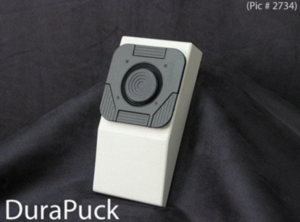
Cortron Force Transducers & Touchpads
Read more about Cortron Force Transducers & Touchpads -
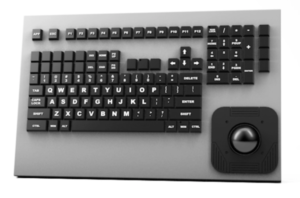

Cortron Keyboards
Read more about Cortron Keyboards -
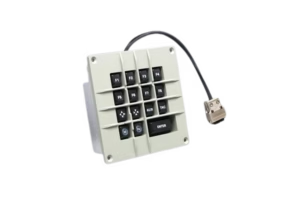

Cortron Keypads
Read more about Cortron Keypads -
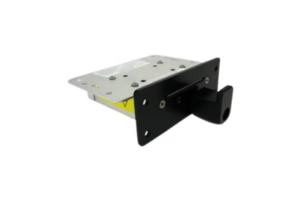
Cortron Model 698 DuraCAC™ Rugged Smart Card Reader
Read more about Cortron Model 698 DuraCAC™ Rugged Smart Card Reader -
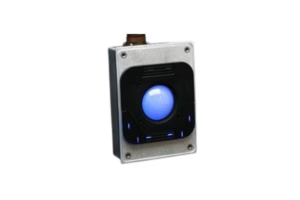
Cortron Pointing Devices
Read more about Cortron Pointing Devices