
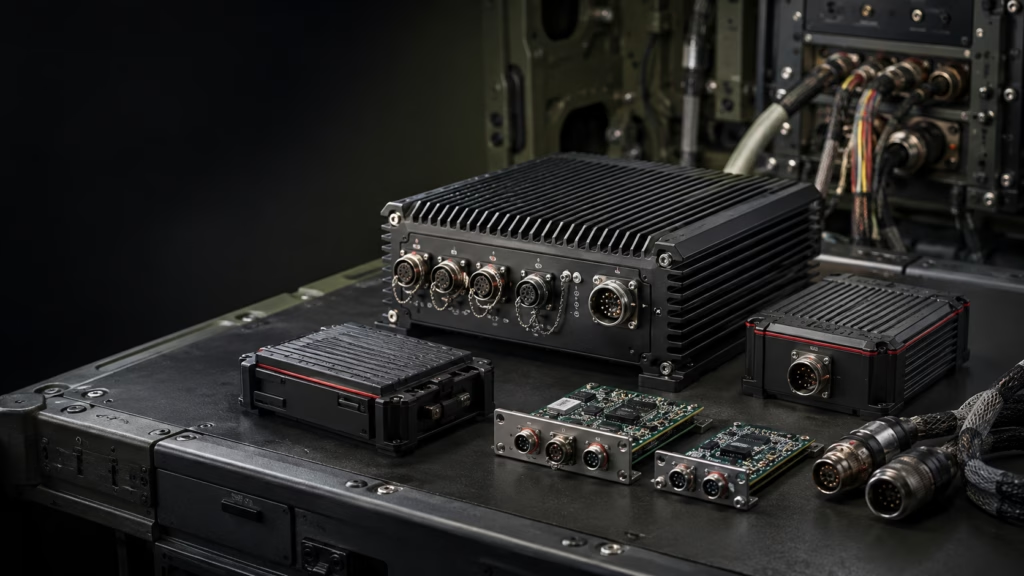
When support ends but the mission continues
A rugged computer can remain central to a vehicle, aircraft or other mission-critical platform long after its original components become difficult to source. The operational requirement may not have changed at all. However, the computer’s processor, storage, connectors or other electronics may now be approaching end of support.
That creates an awkward gap. The organisation still needs the system, yet buying another identical unit may no longer be possible. A current replacement might also introduce new connectors, software dependencies or mechanical changes that the wider platform was never designed to accept.
This is why rugged computer obsolescence management should begin before a failed unit or final supplier notice forces a rushed decision. The real task is not simply to find a newer computer. It is to replace ageing technology while protecting the parts of the system that still work.
Why replacement is rarely a simple product swap
In an office, replacing a computer usually means moving applications and files to a new machine. In a mission-critical platform, the computer may connect to specialist interface cards, sensors, displays, power systems and purpose-built software. It may also need to fit an existing enclosure and continue operating under demanding environmental conditions.
For example, a replacement unit might offer more processing power but lack the slots needed for fielded interface cards. Another unit may support the electronics but require changes to mounting points or cooling. Either issue can turn a seemingly straightforward purchase into a wider redesign.
Before selecting a replacement, the team therefore needs to understand which parts of the existing installation are fixed, which can change and which will eventually need their own upgrade path.
Start with what must remain compatible
A useful first step is to document every requirement that the new system must preserve. This normally includes the interfaces, cards, software, physical envelope, power input and environmental expectations that affect the installation.
The questions do not need to be highly technical at the beginning. They need to be practical:
Which existing cards or peripherals must continue to operate?
Which connectors, data interfaces and software dependencies cannot change immediately?
How much space, power and cooling are available?
What testing or qualification evidence does the program require?
How quickly is the replacement needed?
How long must the new configuration remain supportable?
Clear answers give an engineering team a much stronger starting point. They also help buyers compare realistic options instead of focusing on a product specification that may only solve part of the problem.
A two-phase strategy can reduce immediate disruption
Sometimes the replacement deadline is too close to redesign the whole system in one step. In that situation, a staged approach may be more practical.
The first phase can focus on restoring supply and retaining compatibility with the equipment already in service. In plain terms, the new computer is designed to work with the cards and connections the organisation already owns. This can reduce the number of immediate changes across the platform.
A second phase can then address longer-term limitations. The engineering team may integrate functions that previously relied on ageing third-party cards, revise the architecture or create more room for future capability.
This approach does not suit every program, and it should not be treated as a standard delivery formula. However, it can help separate an urgent replacement need from a more considered platform redesign.
What Spectra’s customer case demonstrates
In a supplier-reported customer success story, Spectra described a program in which an existing computer product had reached end of support while the mission requirement remained unchanged. The customer needed a replacement that could work with the same third-party cards already deployed, and the schedule was urgent.
Spectra reported that the first phase involved a clean-sheet electronic and mechanical design for a compatible replacement. Delivery took approximately six months from purchase order in that particular program.
The supplier then completed a second phase over a further six months. That work removed the dependency on the third-party cards and integrated similar functionality into an alternative design intended to support future growth and a broader market.
The most useful lesson is not that every program can follow the same timing. Scope, qualification, volume and technical complexity will all affect delivery. Rather, the case shows how compatibility and future redesign can be treated as related but separate engineering problems.
Choose the right level of customisation
Not every obsolescence project needs a completely custom product. The right solution may be commercial off-the-shelf equipment, a modified off-the-shelf design or a purpose-built system.
An off-the-shelf product can work when its interfaces, physical format and environmental performance already suit the application. A modified product may be appropriate when the core design is suitable but needs changes to items such as connectors, storage, mounting or I/O. A custom design becomes more relevant when the platform has requirements that existing products cannot meet without major compromise.
Spectra describes its capabilities as including custom engineering, size, weight and power optimisation, open architecture, rapid prototyping, systems integration, testing, program management and lifecycle support. In practice, those capabilities matter because the replacement decision affects more than the first delivery. It also affects qualification effort, spares, future upgrades and support across the program life.
The Metromatics Spectra Defence Technology range provides a useful starting point for reviewing rugged computing, recording, storage and operator-interface options before deciding how much customisation is genuinely required.
Plan for the next change, not only the current one
An urgent replacement can solve today’s supply problem while leaving the organisation exposed to another difficult transition later. A stronger plan considers how the system will be supported and changed over time.
Open architecture can help by reducing unnecessary dependence on a closed or highly specialised interface. Lifecycle support, configuration control and a clear spares strategy can also make future decisions more manageable. None of these removes obsolescence entirely, because electronics will continue to evolve. They can, however, give the program more options when the next component reaches end of life.
For a real project, ask prospective suppliers how they manage component availability, substitutions, configuration changes and long-term support. Also confirm what documentation, testing and notification processes are included. These details are often as important as the headline performance figures.
What buyers should prepare before speaking with a supplier
A productive first conversation does not require a finished engineering specification. It does benefit from a clear description of the operational problem.
Prepare details of the existing computer, the reason for replacement and the date by which a solution is needed. Include information about interface cards, connectors, software, mounting, power and environmental requirements where available. If the system forms part of a qualified platform, explain which changes could trigger additional verification or approval work.
Volume matters as well. Spectra states that it pursues custom programs where the expected volume supports the build. Sharing realistic quantity and support expectations helps establish whether a standard, modified or custom path is commercially sensible.
How Metromatics can help
Metromatics works with Australian and New Zealand customers to identify suitable rugged computing and data-recording solutions from Spectra Defence Technology. The discussion can begin with the existing installation, the compatibility constraints and the program schedule—not with a predetermined product.
If your organisation is facing an end-of-support notice or an ageing computing platform, contact Metromatics to discuss the current system and the options worth investigating.
Frequently asked questions
What is rugged computer obsolescence management?
It is the process of planning for components or products that are becoming unavailable or unsupported. In a rugged system, this includes assessing compatibility, environmental requirements, qualification impacts, spares, support and the future upgrade path.
Can a new rugged computer keep using existing interface cards?
It may be possible, but compatibility must be assessed rather than assumed. The card format, electrical interfaces, software, mechanical layout, power and cooling requirements all need to suit the new design.
Is a custom computer always necessary?
No. Some projects can use an off-the-shelf product, while others need a modified or fully custom solution. The right choice depends on the platform constraints, schedule, required quantity and lifecycle needs.
Does open architecture prevent obsolescence?
No. Components still age and suppliers still change products. An open architecture may make future integration and replacement easier by providing clearer, more interoperable interfaces, but it does not remove the need for lifecycle planning.